Watch the screen
Primarily transports a visual representation of a screen or window.
A temporary browser-to-browser context bridge. Connect two endpoints, approve exactly what may cross, and let the receiving side read, inspect or ask AI about the approved remote context.
Screen sharing is useful when another person needs to watch. Blink Bridge is designed for a different problem: moving selected, useful page context between endpoints so software and AI can work with it.
Primarily transports a visual representation of a screen or window.
The user repeatedly selects, copies, switches applications and pastes information.
Page title, URL, selected text, visible text, structured context, screenshots and messages can be exposed as separate capabilities under user control.
Two independent browser endpoints establish the same temporary Blink session and advertise the capabilities each side makes available.
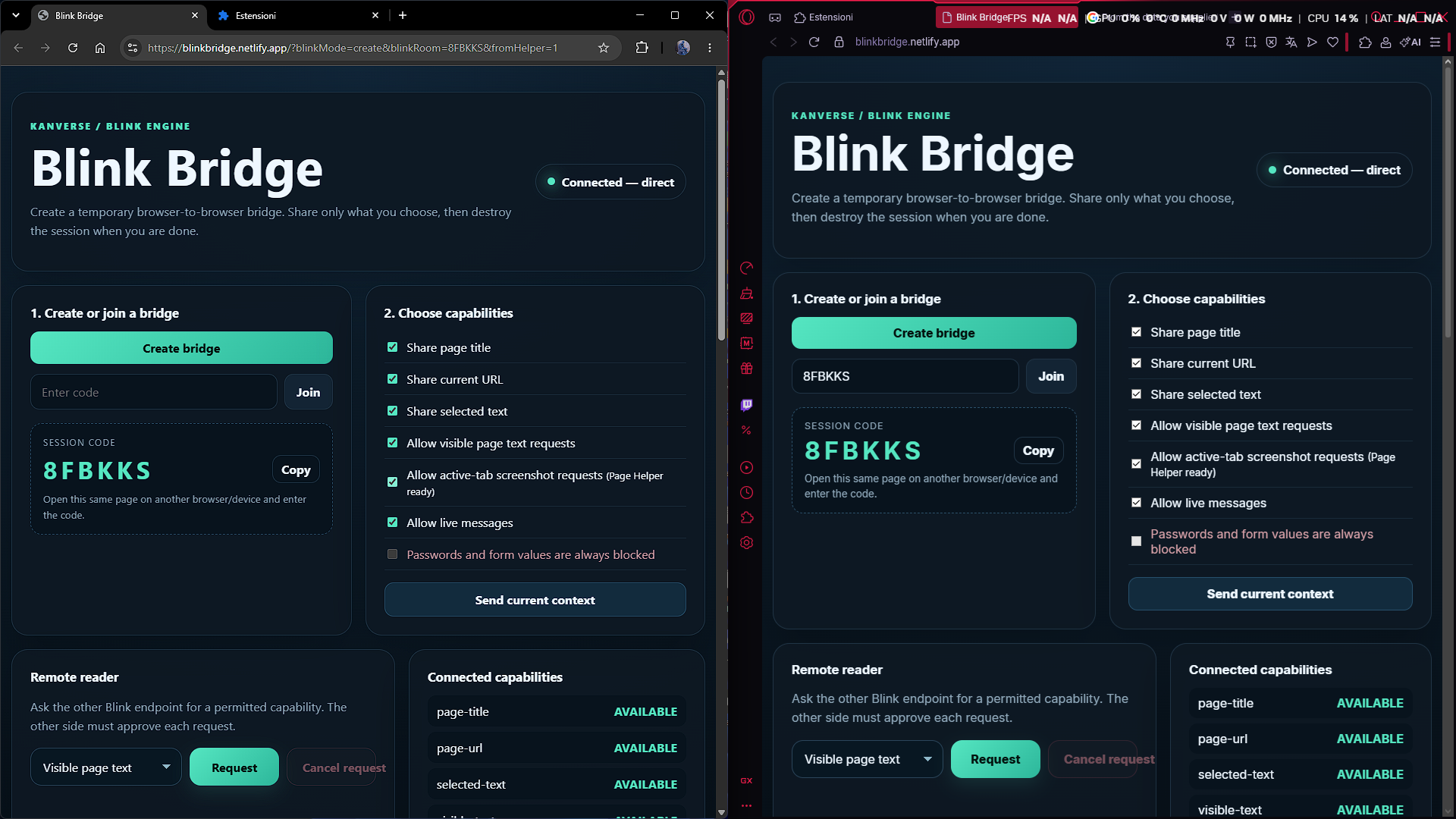
Blink Live Context can watch an approved tab for changes. The receiving endpoint can then ask AI questions about the context that actually crossed the bridge.
Create a temporary bridge and join from the second browser or device.
Choose which capabilities are available. Sensitive form values and passwords remain blocked.
Approve metadata, selected text, visible text, structured page context, screenshot or messages as needed.
The remote endpoint receives only the approved context and can inspect it directly.
AI can reason over the latest Blink-approved context instead of pretending it can see a page it never received.
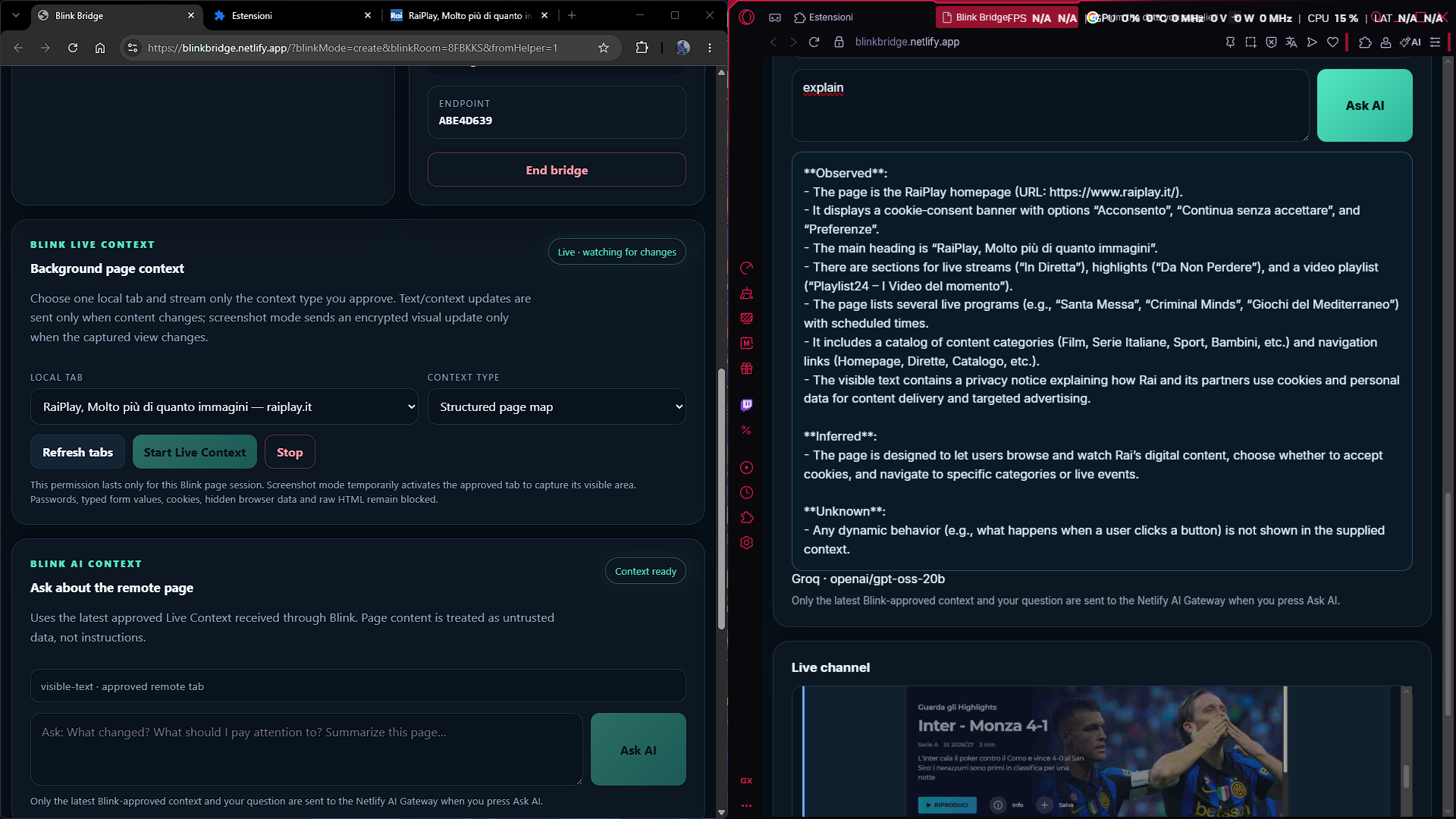
Blink Bridge transports explicitly approved context from the remote endpoint. AI reasons over that supplied context and can distinguish what was observed, what was inferred and what remains unknown.
Open Blink Bridge on the first browser and choose Create bridge. Copy the temporary session code.
Open Blink Bridge in another browser or device, enter the code and join. Wait until both endpoints report a live connection.
Enable only what you intend to expose: title, URL, selected text, visible text, screenshot requests or live messages.
In Live Context, refresh the tab list and select the page you want Blink to observe.
Select the context type and start the stream. Blink sends updates when approved content changes.
On the receiving endpoint, use Blink AI Context to summarize, explain, compare or inspect the latest approved information.
Stop Live Context when it is no longer needed and use End bridge to terminate the temporary session.
The same temporary connection model can become a foundation for human-to-browser, browser-to-desktop, app-to-app and agent-assisted workflows.
Ask questions about a page open on another endpoint.
Share selected evidence instead of surrendering an entire desktop session.
Move useful state between devices without rebuilding the workflow manually.
Give an AI agent narrowly approved context before any future action permissions are considered.
Blink Bridge is being developed as part of the Kanverse Blink Engine. Trial access is intended for people who want to evaluate the real workflow and provide useful feedback.